Time tracking for craftsmen
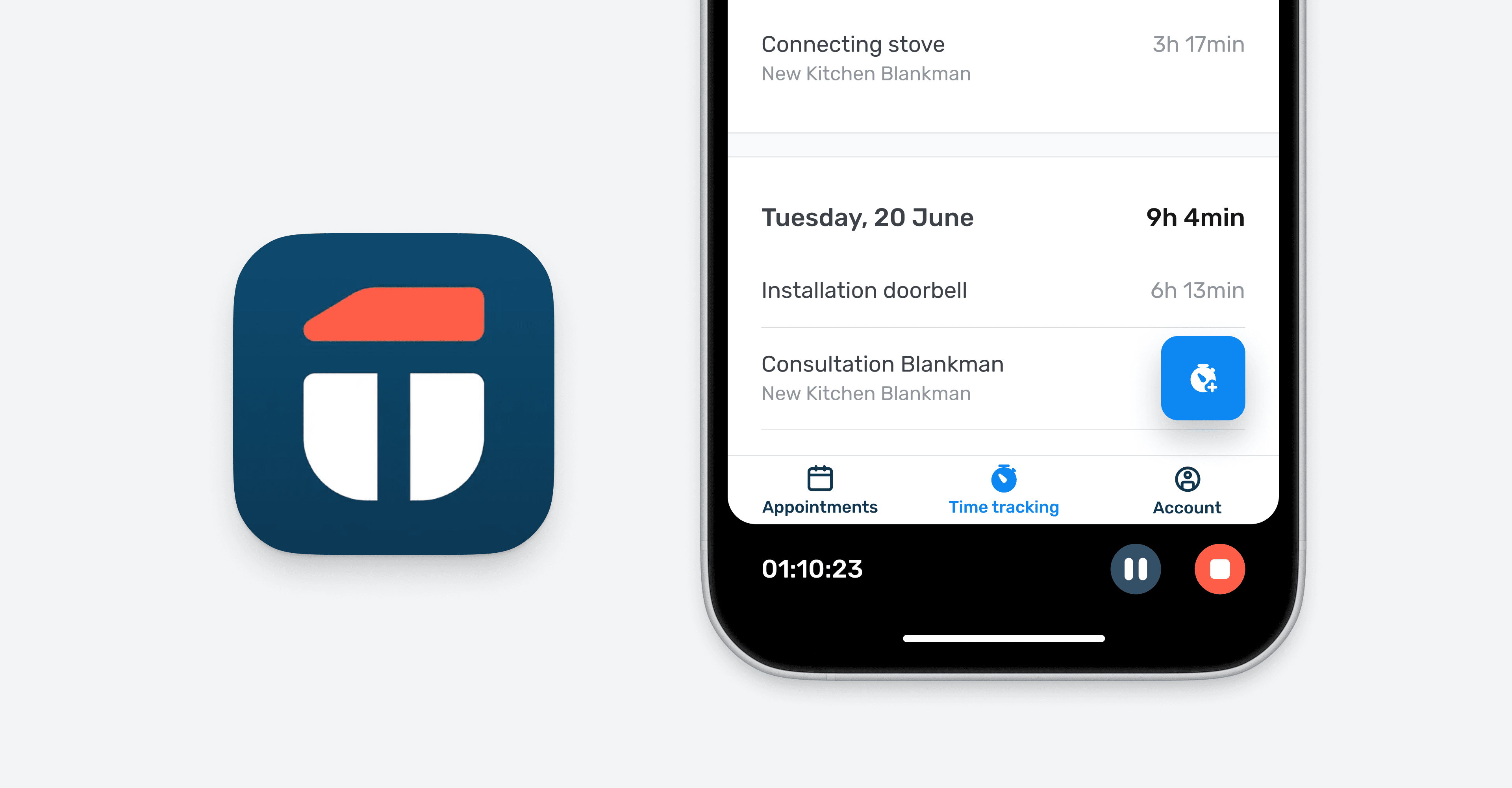
Context
Craftsmen are climbing ladders, taking calls and often juggling unpredictable schedules. On top of that they still track hours on paper or across scattered apps. That meant data got lost and business owners spent hours of manual entry every week.
At ToolTime, our mission is to digitize the craftsmen business, enabling them to spend less time on manual administrative tasks and more time on their actual work.
My role
Product designer
Team
- 1 Product manager
- 1 User researcher
- 3 Engineers
- 1 Product designer (me)
Key results
2,800+ active users
roughly 50% of all mobile users are using the time-tracking feature
65,000+ time entries
created per month
Research & Insights
Working with a user researcher, I conducted 8 discovery interviews. We focused on companies with 4-10 employees, our core customer base.
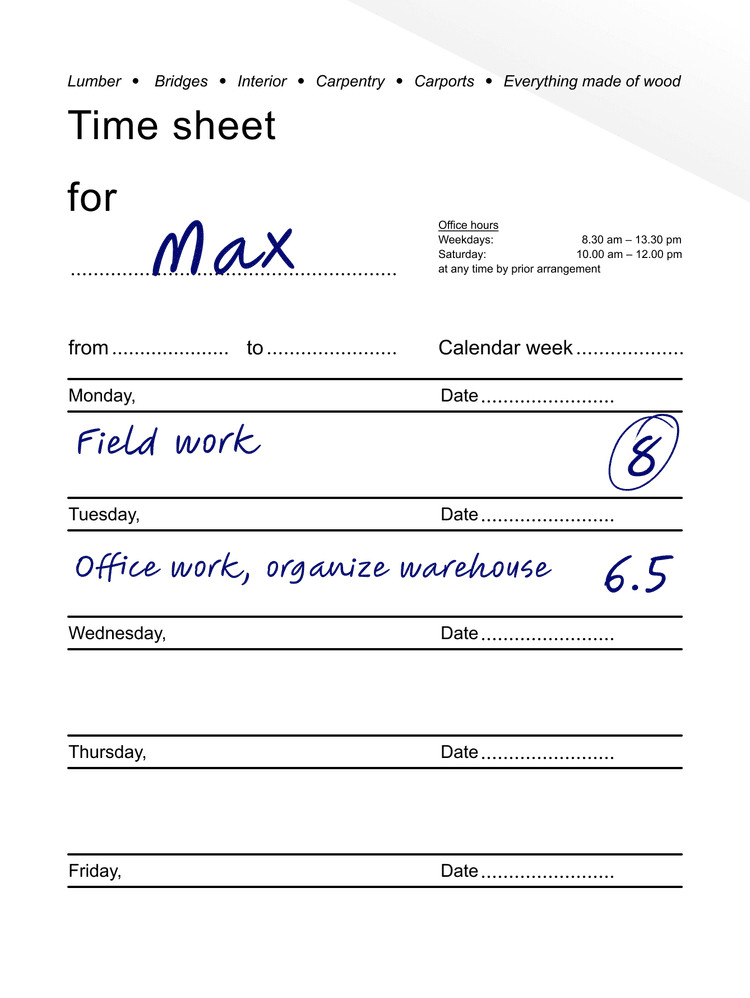
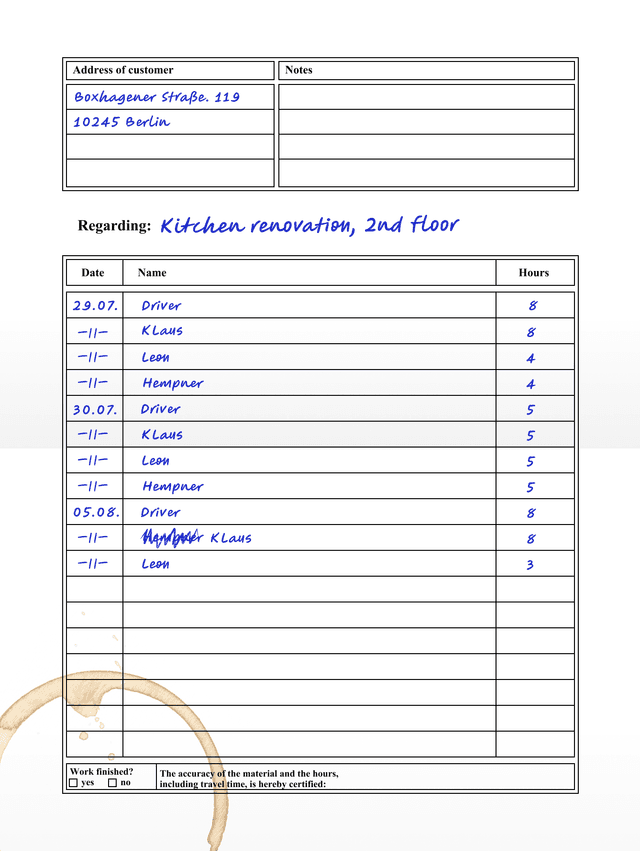
Everyone hands in their timesheets on Friday. I then type it in and add up everything per construction project and person.
Manual work. Every week.
Owners spent hours each week manually entering their employees' timesheets. This delays payroll, creates incorrect invoices or miscalculated projects.
Construction sites are chaotic.
Craftsmen can’t keep apps open while climbing ladders or taking calls. They need timers that run in the background or the option to log hours later when there’s time.
Compliance matters.
German law requires employee-level time tracking. At the same time, owners need project-level breakdowns to track profitability. Paper timesheets can’t do either.
These insights, combined with survey data and user feedback, presented a clear opportunity to design a time-tracking feature within the existing ToolTime mobile app to address craftsmen’s frustrations.
Creating space for time tracking
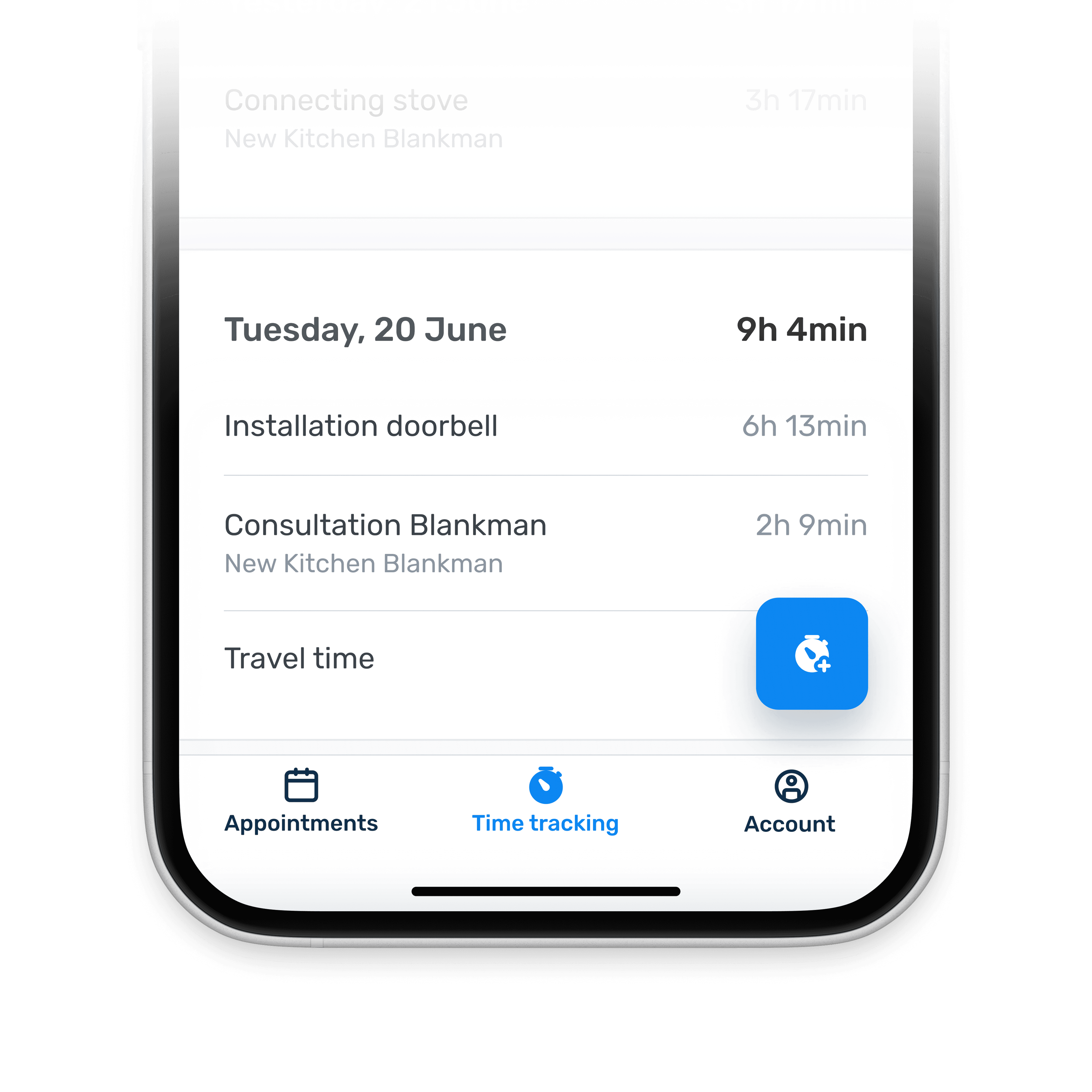
Our mobile app was originally just a list of scheduled appointments. The single-screen layout couldn't support the shift from planning work to tracking it in real time. I proposed introducing bottom navigation to create space for time tracking flows while preserving the job list as the primary entry point.
Real-Time Tracking in the Field
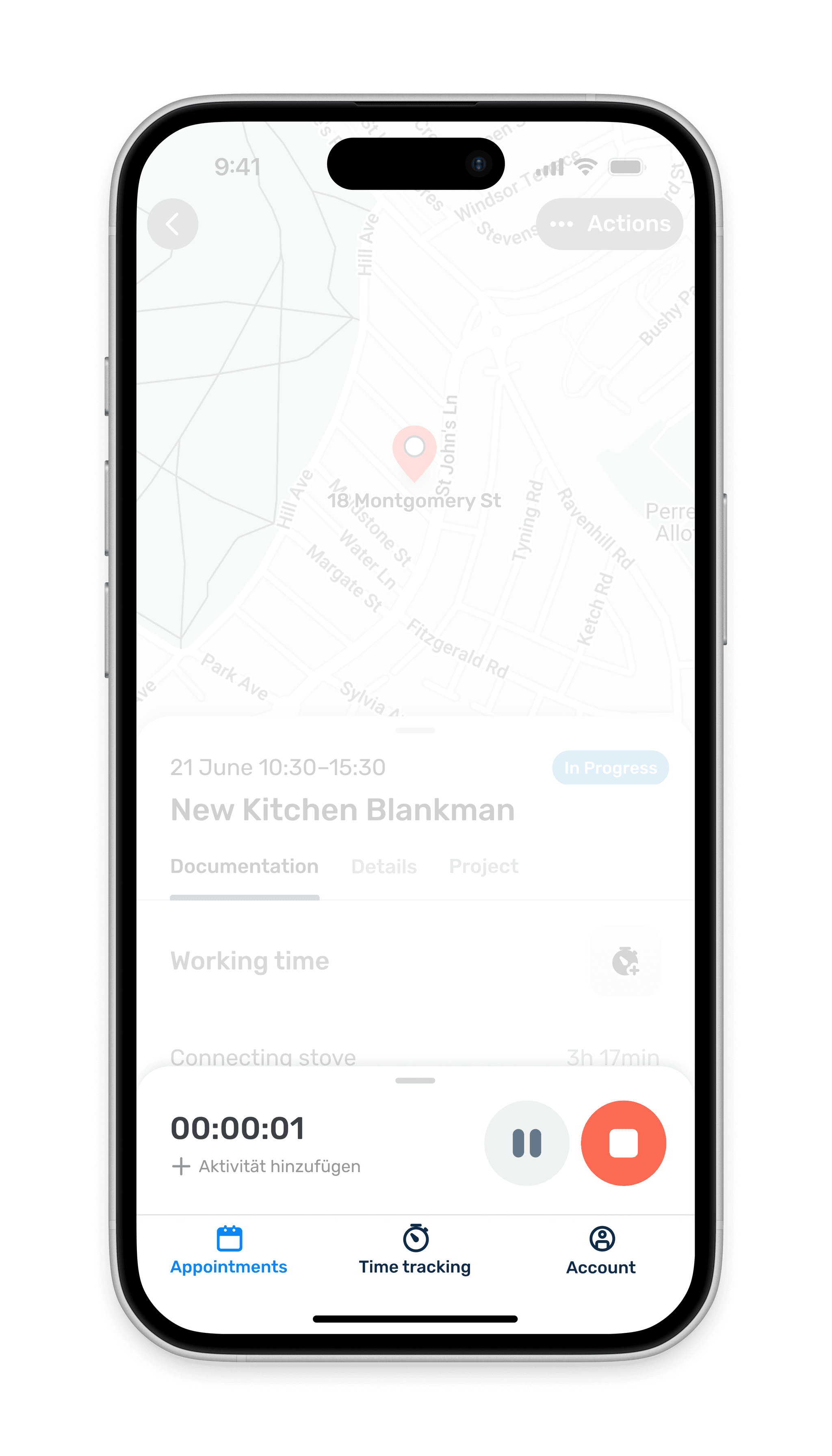
Real-time tracking is one of several core flows. For craftsmen actively logging time while on the job, we needed a UI pattern that stayed visible across the app without getting in the way.
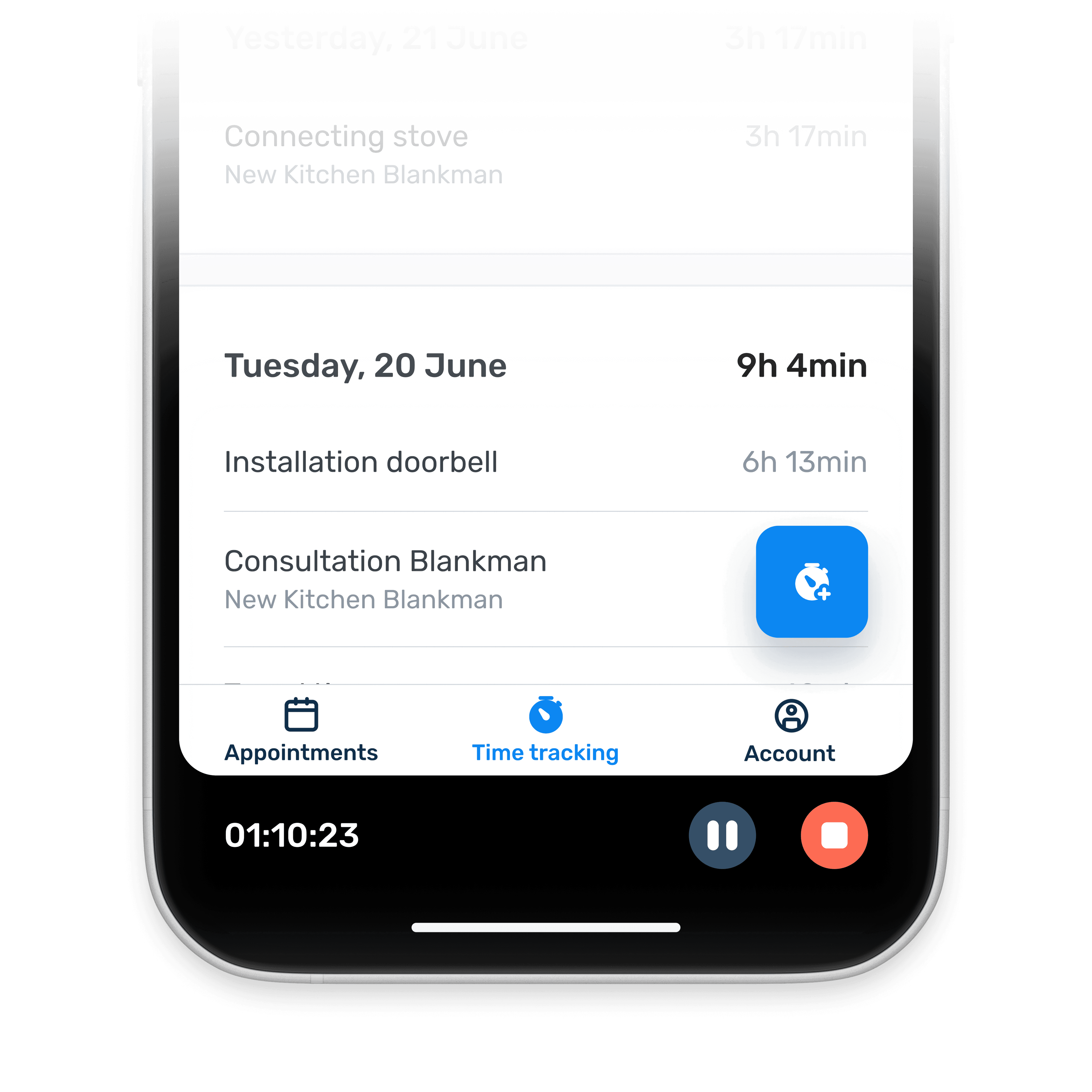
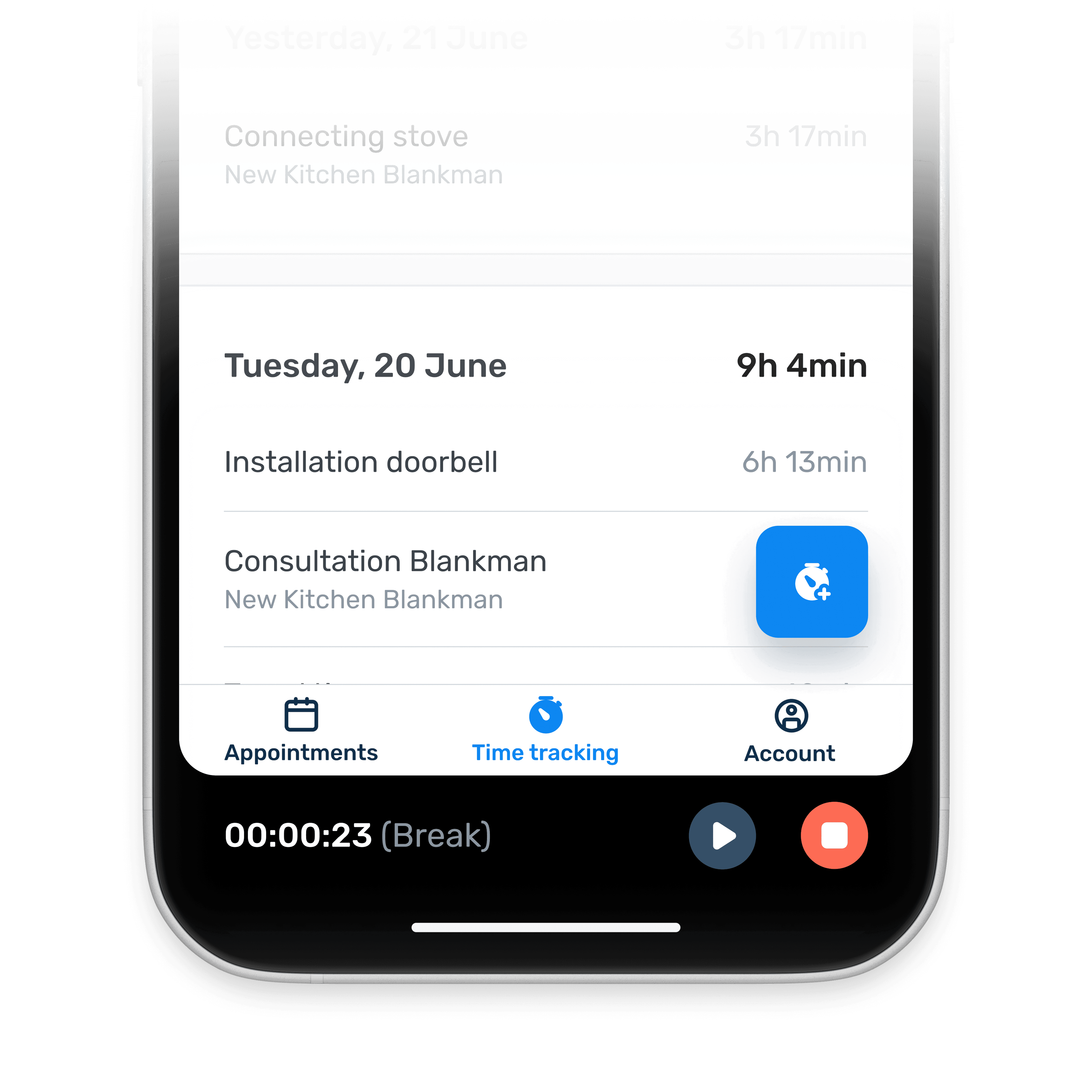
I designed a bottom-anchored stopwatch pattern that's positioned within easy thumb reach and:
- Shows active time and break mode
- Can be paused or stopped from anywhere
- Remains visible across all tabs
Three placements tested, one winner
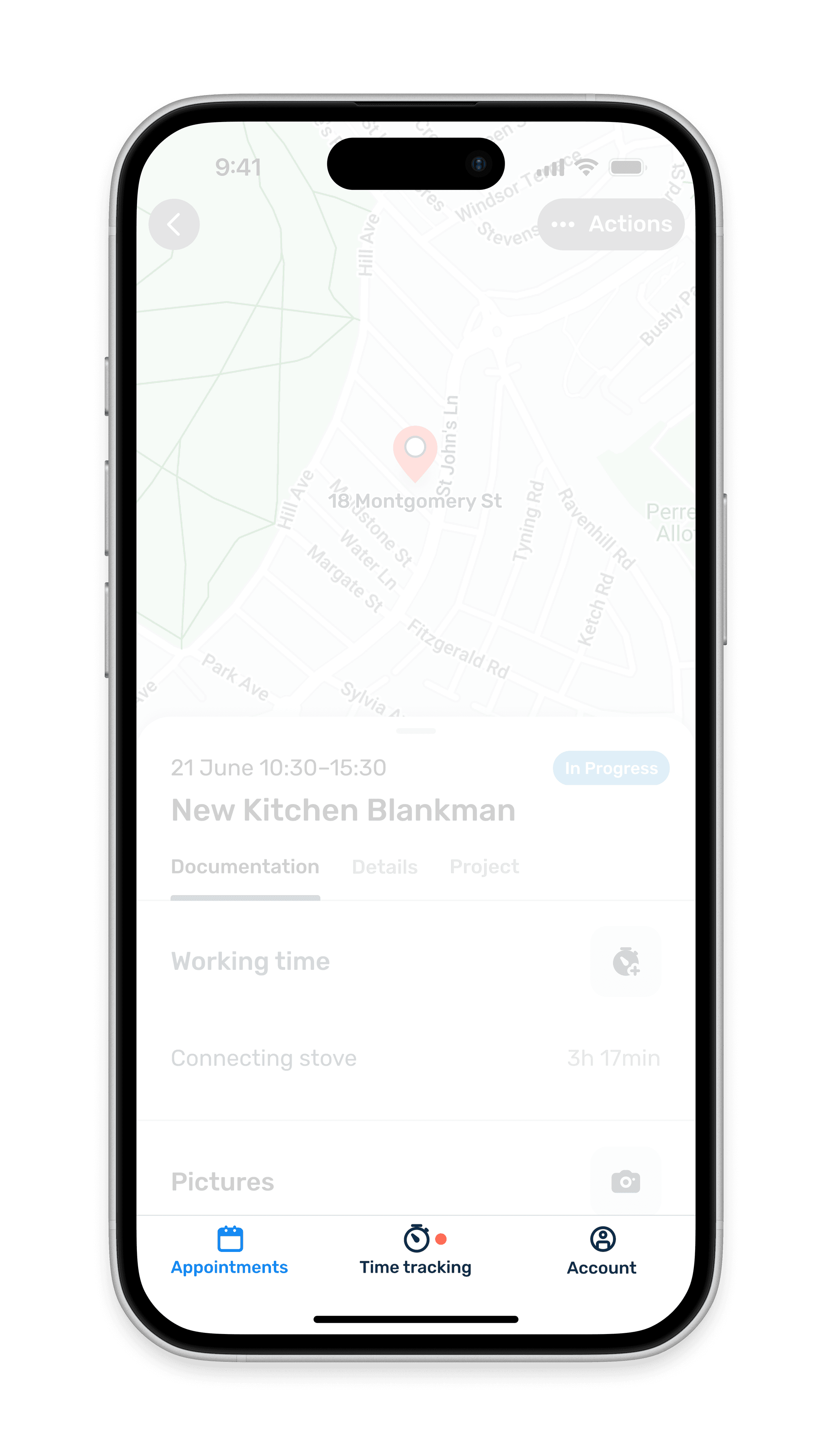
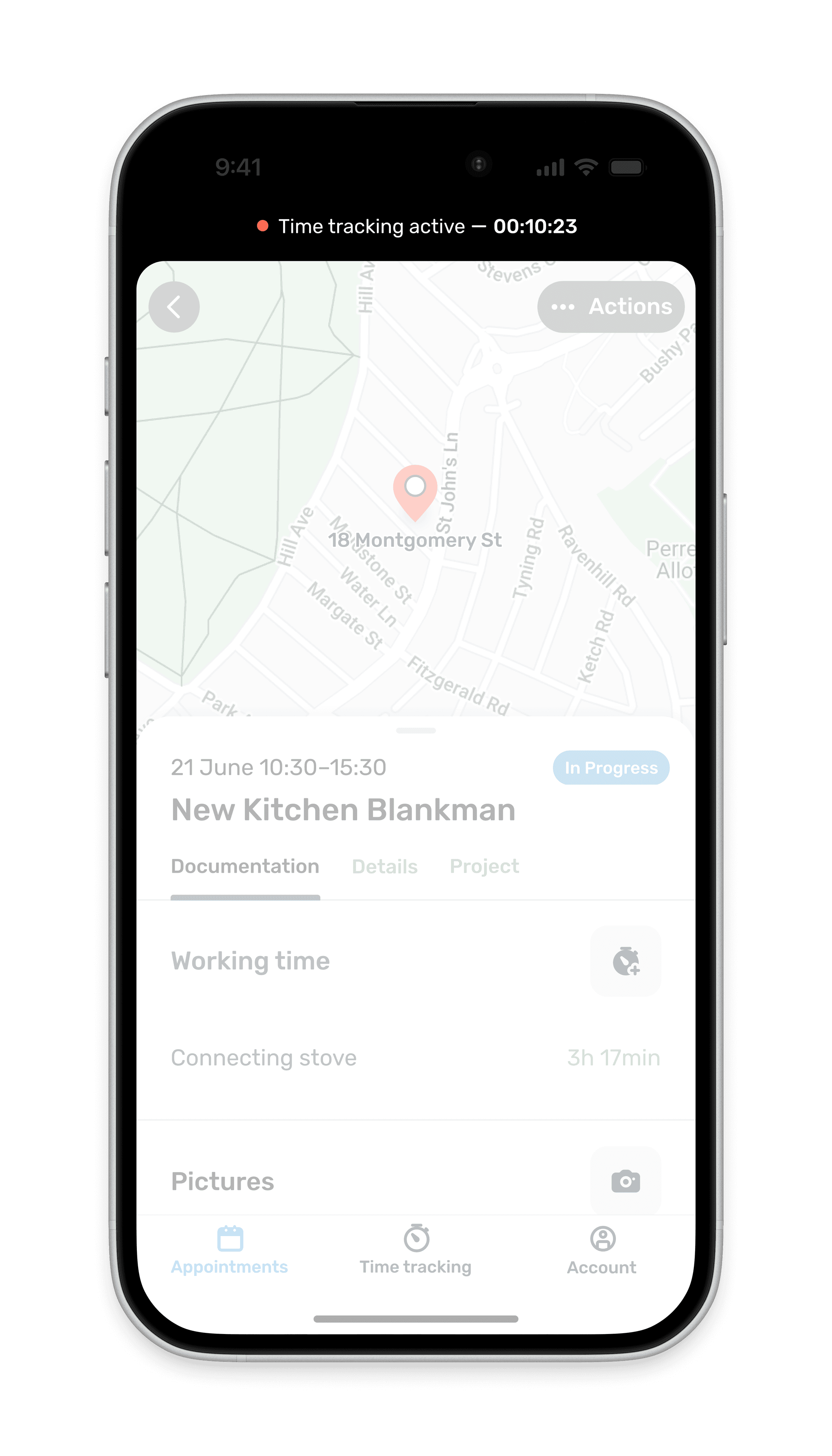
I tested three placements during 9 usability sessions.
Indicator only
Too subtle, craftsmen missed it entirely and controls were always a tap away
Top status bar
Out of thumb reach, competed with notifications
Bottom controls
Closer to ideal: ergonomically accessible and always visible, but overlays content
A bottom placement won out for visibility and usability. It also set the foundation for easily tracking break times.
Real work is chaotic, let craftsmen catch up later
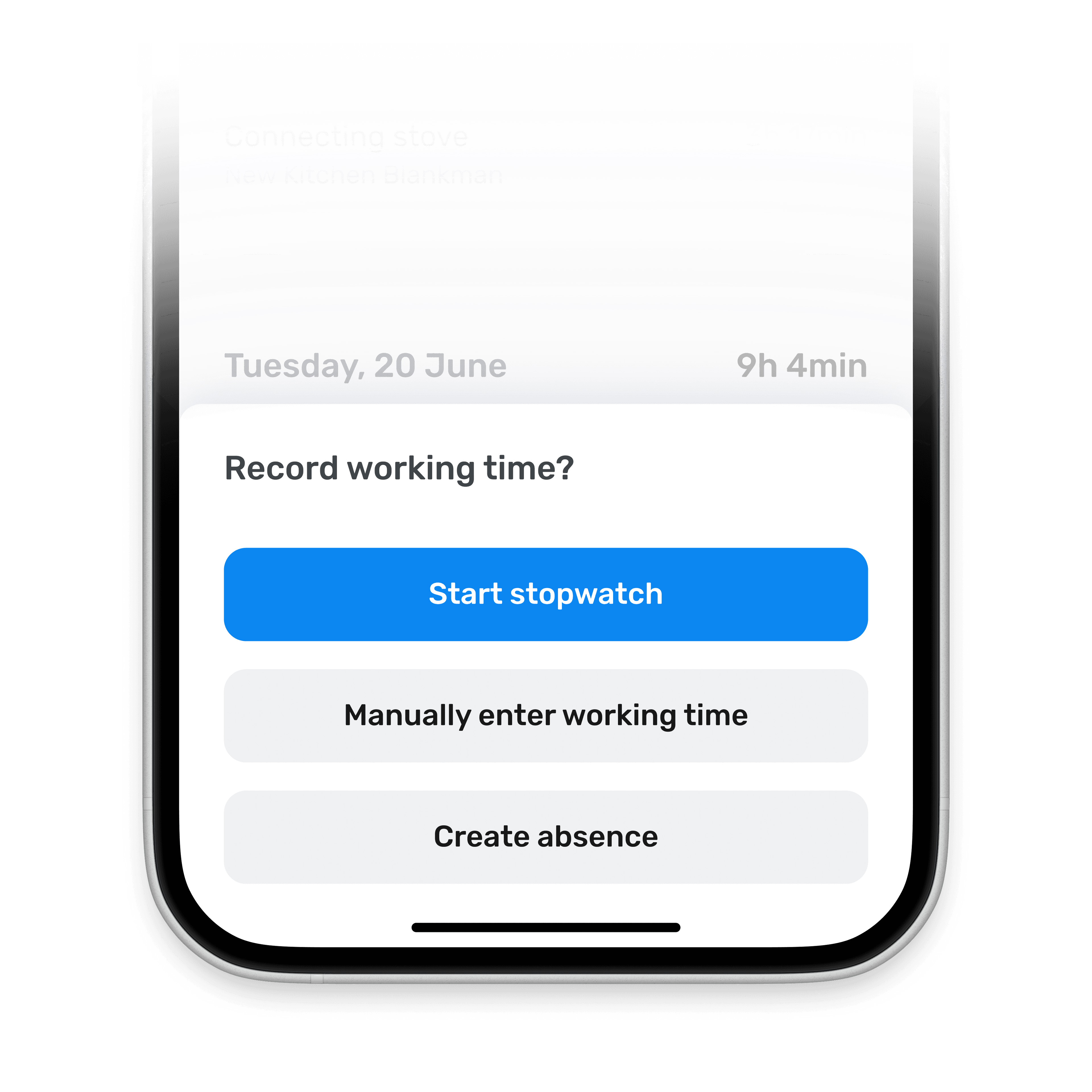
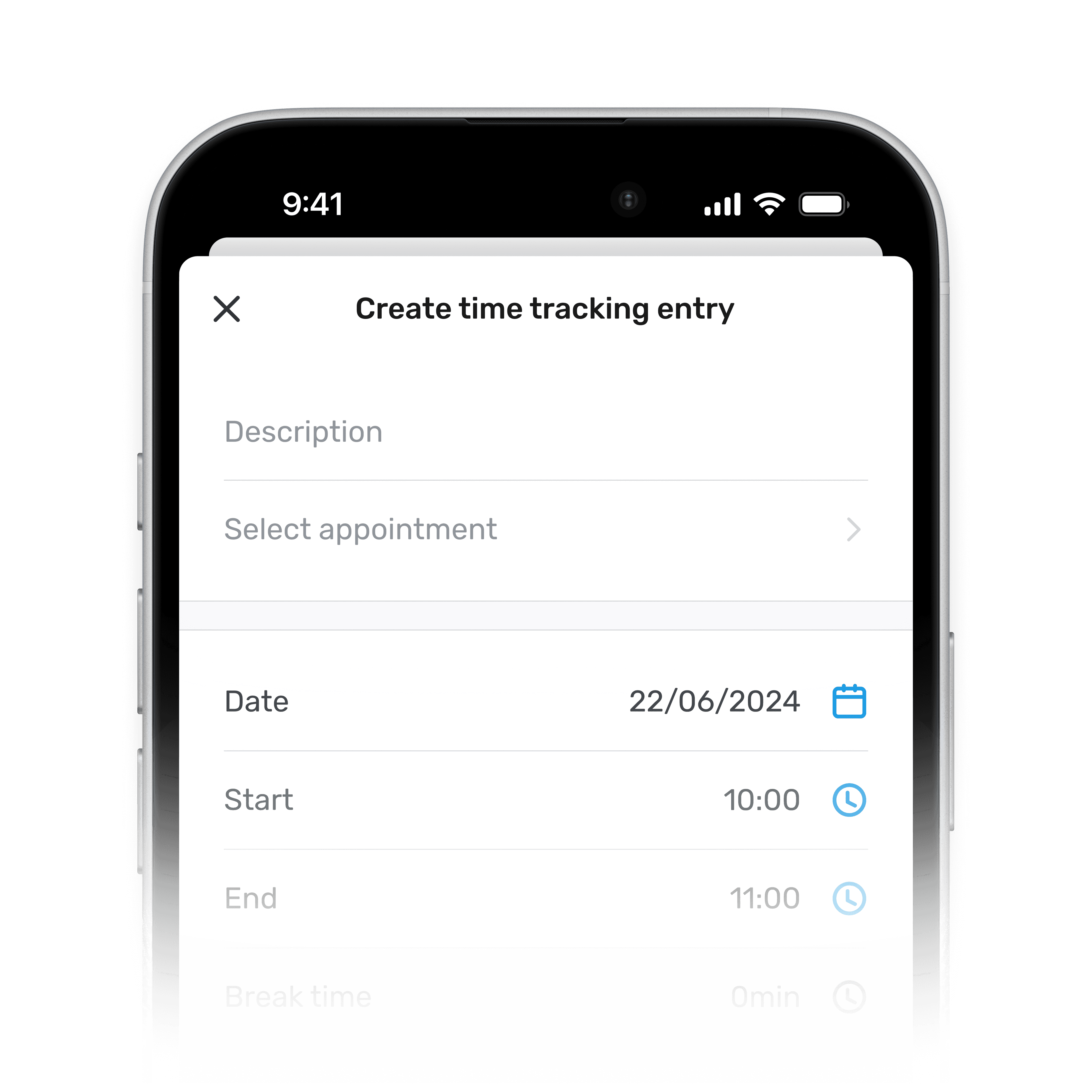
From early testing, we saw craftsmen forgetting to start the timer. They were already working and too busy to think about it.
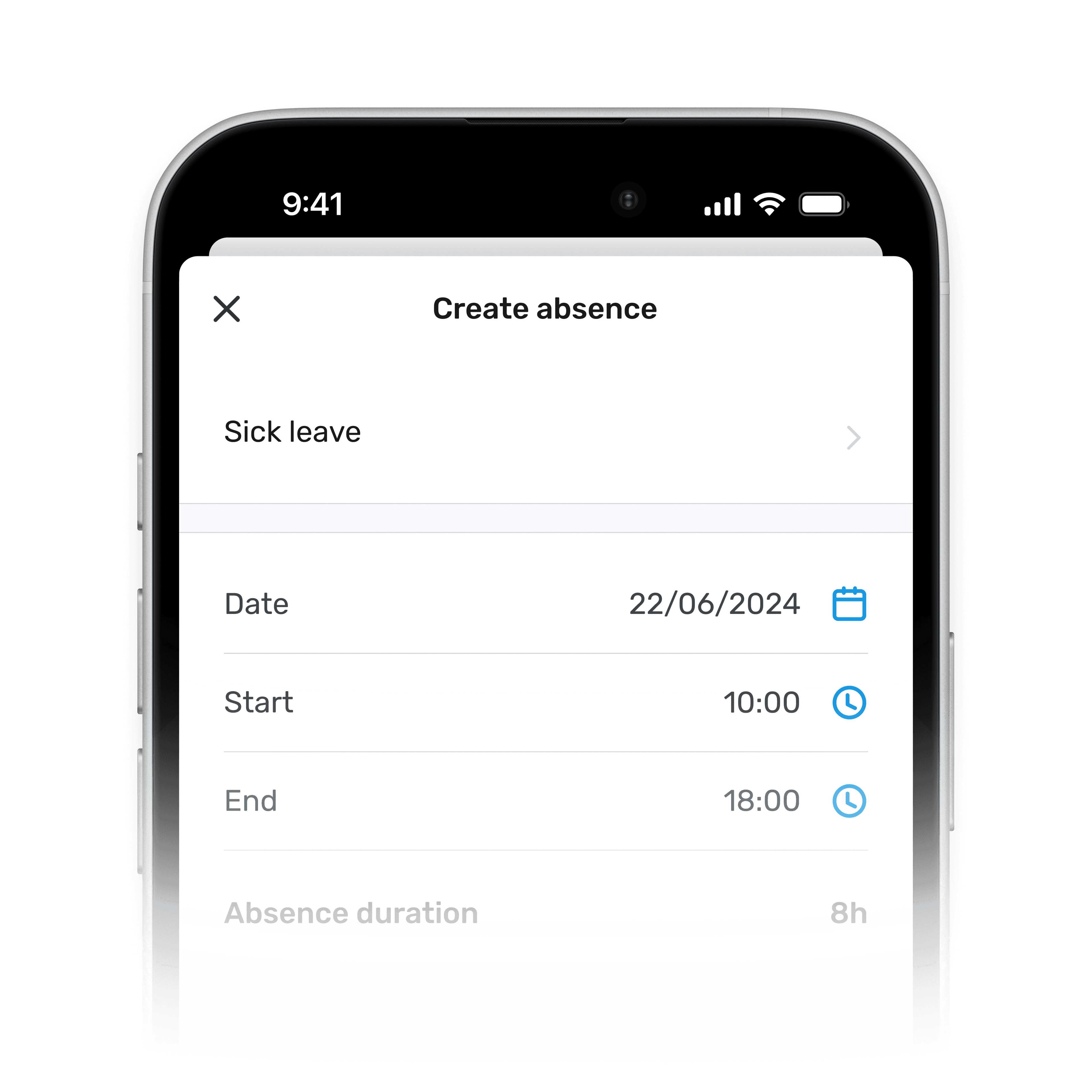
Manual time entry became a first-class interaction, not just a fallback. It sits alongside the timer option, giving craftsmen the right tool for their needs: adding forgotten work time, logging sick days or creating absences.
Filter, export, done
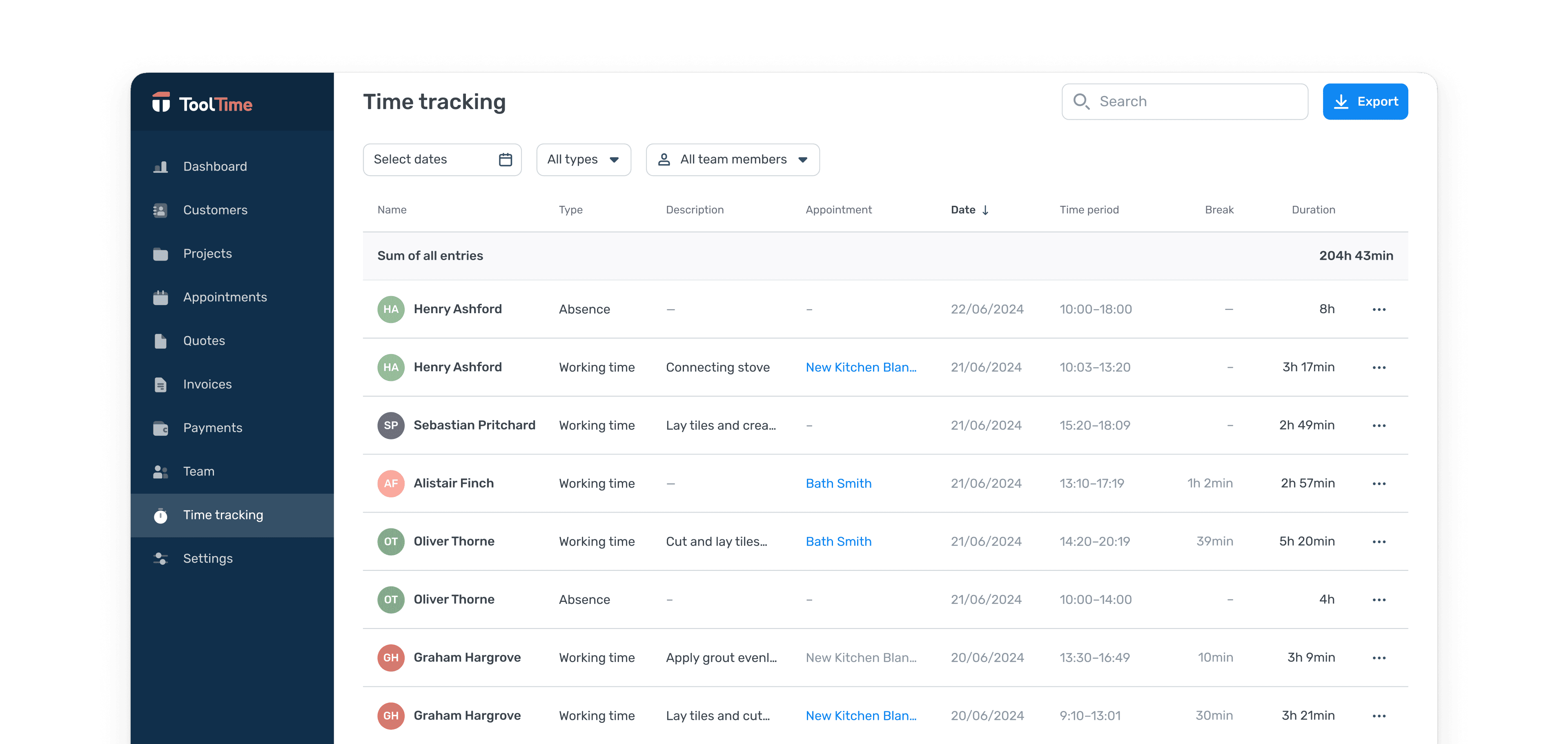
Business owners needed clean, actionable records for payroll and controlling. I designed a filterable table directly in the main view, letting admins slice time logs by:
- Date range for weekly or monthly reporting
- Entry type to separate work hours from breaks or sick days
- Employee for payroll processing
- Appointments to track profitability per construction site
From there, they could export the data without leaving the page. This replaced hours of manual spreadsheet work every week.
Outcome
Time tracking in the ToolTime mobile app launched in May 2022. With 2,800+ active craftsmen logging an average of 25 entries per month, it became part of their daily routine.
You've got one thing right: that it's easy for the guys to use. That's the main thing.
This feature is really great. Now I know how long my guys are working on something.
The feature replaced paper-based time tracking and solved both sides of the compliance challenge: craftsmen could log hours easily on mobile, while owners got the employee-level records German law requires plus project-level breakdowns for profitability tracking.
While the feature has already transformed how craftsmen manage time tracking, I see potential for future enhancements. On mobile, we could, for example, include tracking overtime or multiple-day absences. For business owners using the web app, features like an editing function or additional payroll-related functionalities would add even more value.